Effects
Effects are transformations applied after all other conversion options such as width, height, etc are applied.
info
effects can be combined with all other options. In addition, multiple effects can be combined.
| Parameter | Description |
|---|---|
effect | can be grayscale, blur, roundcorner |
grayscale
Request a grayscale image
| Transformation | Example | Description |
|---|---|---|
effects=grayscale |  | request a grayscale image |
effects=grayscale&resize=200,200 | 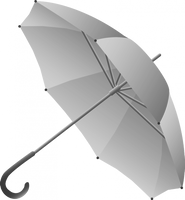 | request resized grayscale image |
blur
Request a blurred image
| Transformation | Example | Description |
|---|---|---|
effects=blur&resize=100,100 |  | request a blurred image with default blur value of 20 |
effects=blur:5&resize=200,200 |  | request resized blurred image with blur value of 5 |
| Parameter | Description |
|---|---|
blur:value | value can be from 0 to 150. Default blur is 20 |
roundcorner
Request a image with round corner
| Transformation | Example | Description |
|---|---|---|
effects=roundcorner&resize=100,100 |  | request a roundcorner image |
effects=roundcorner:50:128:128:128&resize=100,100 |  | request roundcorner resized image with a radius of 50 and gray background behind rounded corner |
| Parameter | Description |
|---|---|
roundcorner:radius:r:g:b | radius controls the amount of roundedness, defaults to 20. r,g,b are the red, blue and green color values to fill the background behind the rounded corners. The values default to 255,255,255 (white) |
Multiple effects
Combine multiple effects
| Transformation | Example | Description |
|---|---|---|
effects=grayscale,roundcorner:30&resize=200,200 |  | request grayscale roundcorner resized image |
effects=blur:5,roundcorner&resize=200,200 |  | request roundcorner blurred resized image |