Where an Asset Is Delivered
See which websites, countries, sizes, campaigns and channels an asset is delivered to through the FileSpin CDN, in the dashboard and through the API, before you change or withdraw it.
Every time an image or video is served from the FileSpin CDN, the request is recorded: which asset, which size or format, the website it was embedded on, the country, and any campaign or channel tag on the link. FileSpin reports on these requests for the whole account and for a single asset.
Use it to answer "where is this used?" before you replace an asset, end its rights or take it offline.
In the dashboard
Open an asset and choose the Delivery tab. For the last 7, 30 or 90 days it shows:
- requests and data delivered, and requests per day
- Embedded on: the websites that embed the asset ("Direct or unknown" when no site was sent)
- Where it's viewed: countries
- Renditions served: the original and each size or format requested
- Campaigns and channels the asset was delivered through
- the share of requests served from the CDN cache
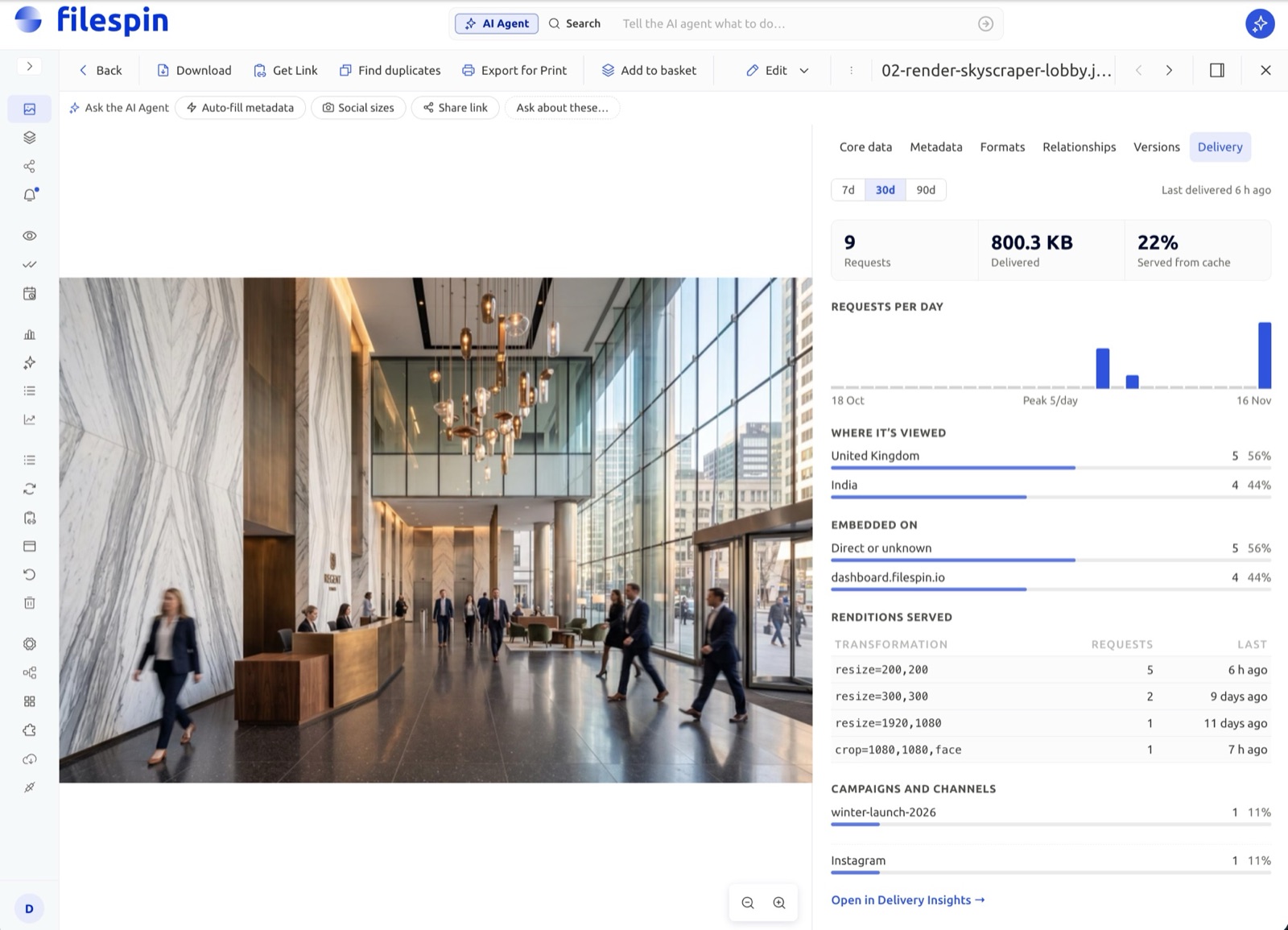
Open in Delivery Insights opens the account-wide report narrowed to that asset.
Aggregated delivery insights
Insights → Delivery Insights reports on every asset the account delivers, over the last 24 hours, 7, 30 or 90 days. Filters narrow it to a campaign, channel, placement, variant or audience:
| Tab | Shows |
|---|---|
| Popular assets | The most requested assets, by requests or data delivered |
| Audience | Requests by country, device, browser and operating system |
| Transformations | The sizes, crops and formats requested across all assets |
| Campaigns | Delivery per campaign, including untagged traffic |
| Channels | Delivery per channel, such as Instagram or email |
| Top delivery domains | The sites embedding your assets, by request volume |
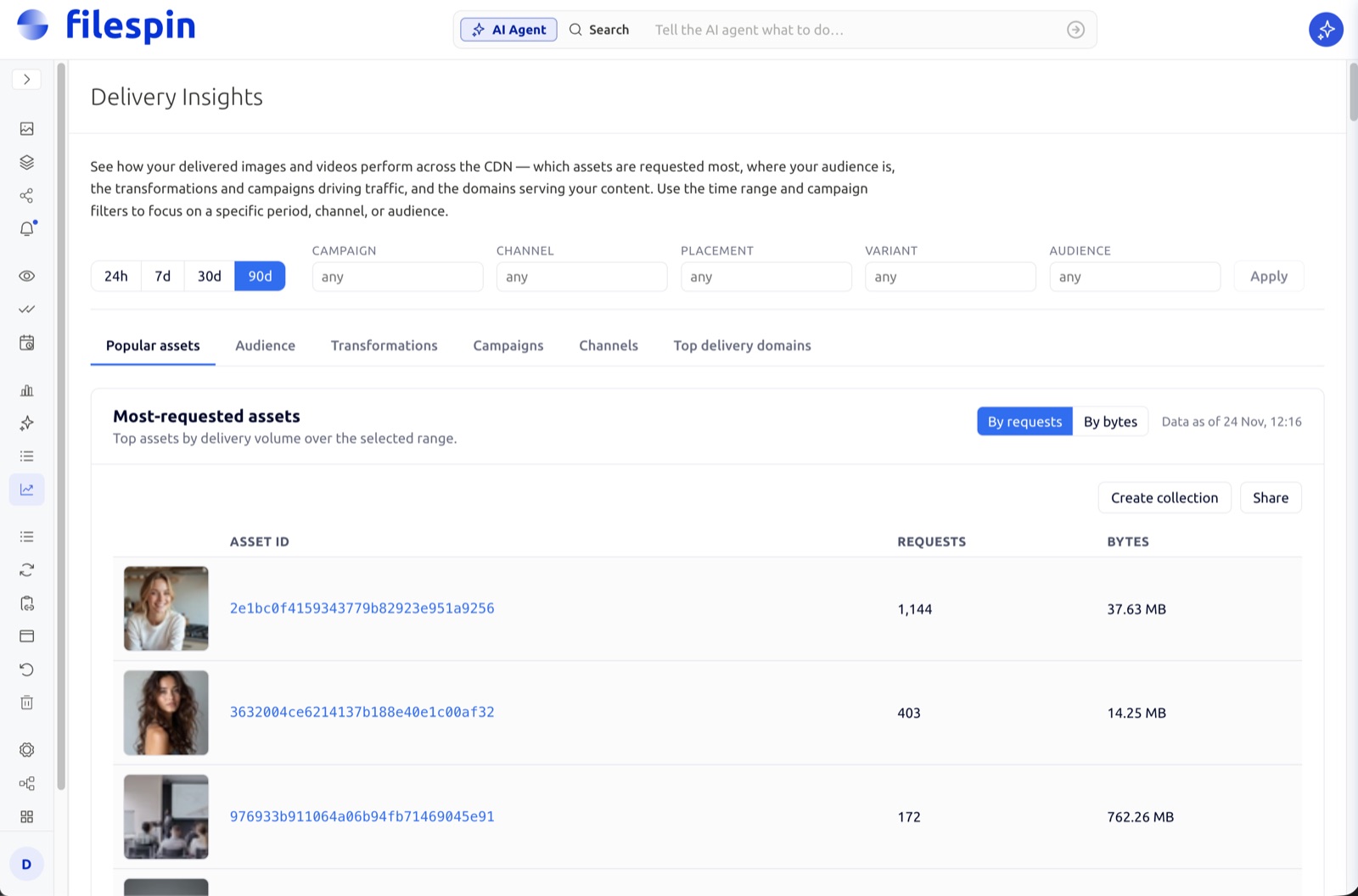
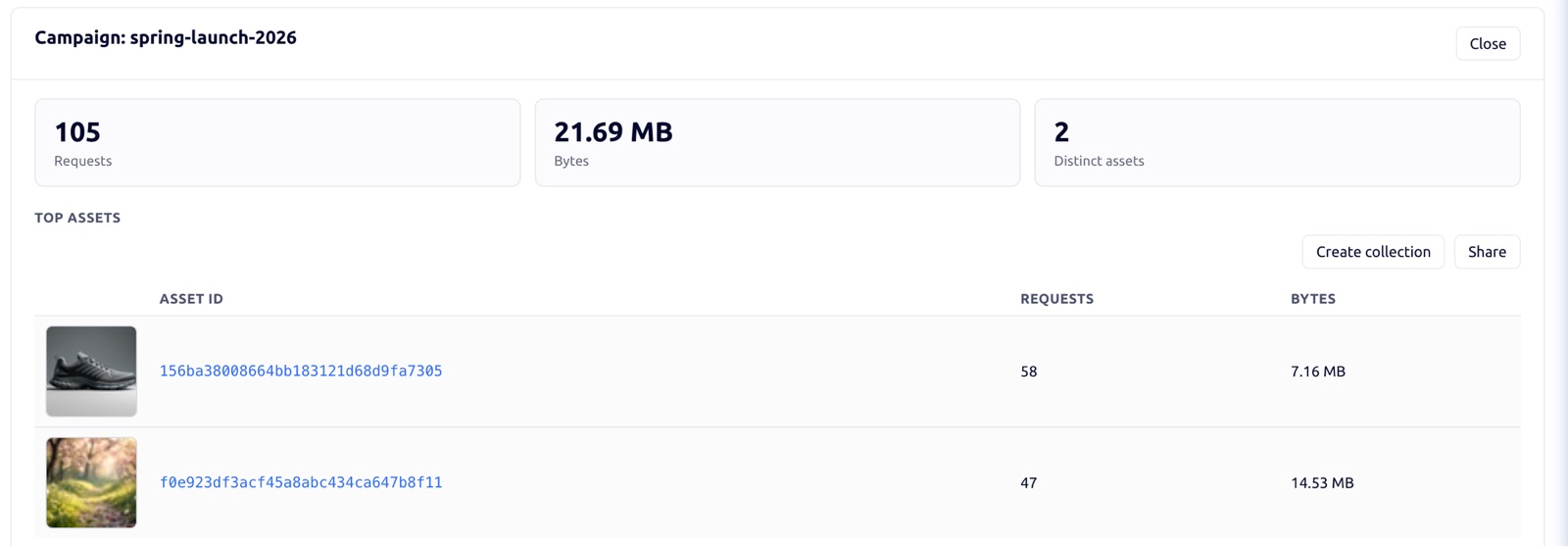
Asset lists have Create collection, to gather those assets in a collection, and Share, to send them on. Select a campaign to see its requests, data delivered and the number of distinct assets, with the top assets in it.
Every tab can be narrowed to one asset, which is what Open in Delivery Insights on an asset does. The same reports are available through the API without asset_id.
Through the API
GET /api/v1/analytics/cdn/{report} returns the same data. Add asset_id to see one asset. See Delivery Analytics for every report and parameter.
The websites embedding an asset
curl "https://app.filespin.io/api/v1/analytics/cdn/audience?dimension=referrer&asset_id=99d819953914402babbdeb68337ea6a3&from=2026-11-01T00:00:00Z" \
  -H "X-FileSpin-Api-Key: YOUR_API_KEY"
{
  "dimension": "referrer",
  "data": [
    { "dimension": "www.example.com", "requests": 1840, "bytes": 412339200 },
    { "dimension": "shop.example.com", "requests": 310, "bytes": 61022080 },
    { "dimension": "", "requests": 95, "bytes": 18011136 }
  ],
  "data_as_of": "2026-11-24T09:41:12Z"
}
Each row is a site's host name. An empty value means the request carried no referrer: the link was opened directly, or the app or browser did not send one.
Other reports for one asset
| Question | Report |
|---|---|
| Which countries see it? | audience?dimension=country |
| How is it trending? | timeseries?interval=day |
| Which sizes and formats are used? | asset-transforms |
| Which campaigns or channels carry it? | campaigns, channels |
| Is it served from cache, and how fast? | cache-performance |
Without asset_id, popular-assets lists the account's most requested assets.
Before withdrawing an asset
- Call
audience?dimension=referrerwith the asset's ID and the last 30 days, to list the sites that embed it. - Call
campaignsandchannelsto find the campaigns that link to it. - Tell those owners, then remove public access or replace the file.
Who can use it
An Admin or Manager of the account, with the Delivery Insights add-on. It is included on the free trial and on Growth, Scale and Enterprise plans, not on Pay as you go. Without it, the API returns 403 with "error": "plan_upgrade_required".
Limits
- Only delivery through the FileSpin CDN is seen (
cdn.filespin.io, including on-demand image URLs). A file that someone downloaded and hosted elsewhere is not tracked. Accounts that deliver through a dedicated CDN resource are not in these reports. - Sites, not pages. The referrer is the host name of the embedding site, not the page path.
- Referrers are kept for 30 days. Request counts, countries, sizes and campaigns go back further.
- Not live. Requests appear within minutes, and
data_as_ofsays how recent the data is. - The dashboard's own thumbnails and previews are not counted, so browsing FileSpin does not inflate the numbers. A CDN link opened from the dashboard is a real delivery and is counted, with
dashboard.filespin.ioas the site.